Full Description
View Full Description
New Features For Sibelius | 8
Rest Collision Avoidance & Musical Grouping
In the newest version of Sibelius rests now avoid collisions with notes as you input and edit notes. When working in multiple voices, rests are now automatically vertically grouped with the pitches of surrounding notes. The result is clearer, more beautiful, accurate notation without having to manually adjust it yourself by hand.
Nth time ending lines now align perfectly with the bar beneath every time, with no extra adjustment required from you. The way that repeat bar lines and time signatures are displayed on your score has also been adjusted, so that they are now in the correct order.
Slide & Move Notes In Time
You can now move a note or rest within time without having to use your mouse or use cut-and-paste. Sibelius will, in most cases, move your selection by a musically appropriate amount, given the current time signature and the length of your selection. If you slide your selection into existing notation, Sibelius will swap your selection with the notes at the destination.
New Licensing Options
Sibelius | now comes in the same two licensing options that you find in Sibelius: perpetual and subscription (available on month-to-month and annual plans). Sibelius | is still available as a perpetual license as well, which works the same as Sibelius: you purchase a perpetual license to keep, and included in your purchase is a year’s worth of upgrades. After one year, you can choose to renew your annual support contract to continue to receive software upgrades. Your perpetual license never expires though, so you’ll always be able to use your Sibelius | software at the last version you’ve downloaded—even if you allow your upgrade plan to lapse in the future.
Other Upgrades
- New staff sizes
- Espressivo 2 for more realistic, expressive playback
- A Tempo marking now returns to the last tempo change
- Support for high density displays on Windows
- Added support for Windows 8 and 10
- Added support for macOS 10.11 El Capitan and 10.12 Sierra
- 64-bit only architecture
- Multi-touch support for the Microsoft Surface Pro and Apple track pads (and other touch-compatible devices)
- Avid Application Manager – a centralized location to manage your licenses, replacing Avid License Control
- Over 200 general stability improvements
Sibelius |
Enhanced For Efficient Workflow
Sibelius Notation Software features magnetic Layout and other time saving tools make it easy to get professional results fast. The premium sound library plays back your compositions in stunning detail and when you're done, choose how you want to introduce your music to the world - make a video of your score, export for iPad, or share directly to YouTube, SoundCloud, and Facebook.
Intuitive Interface
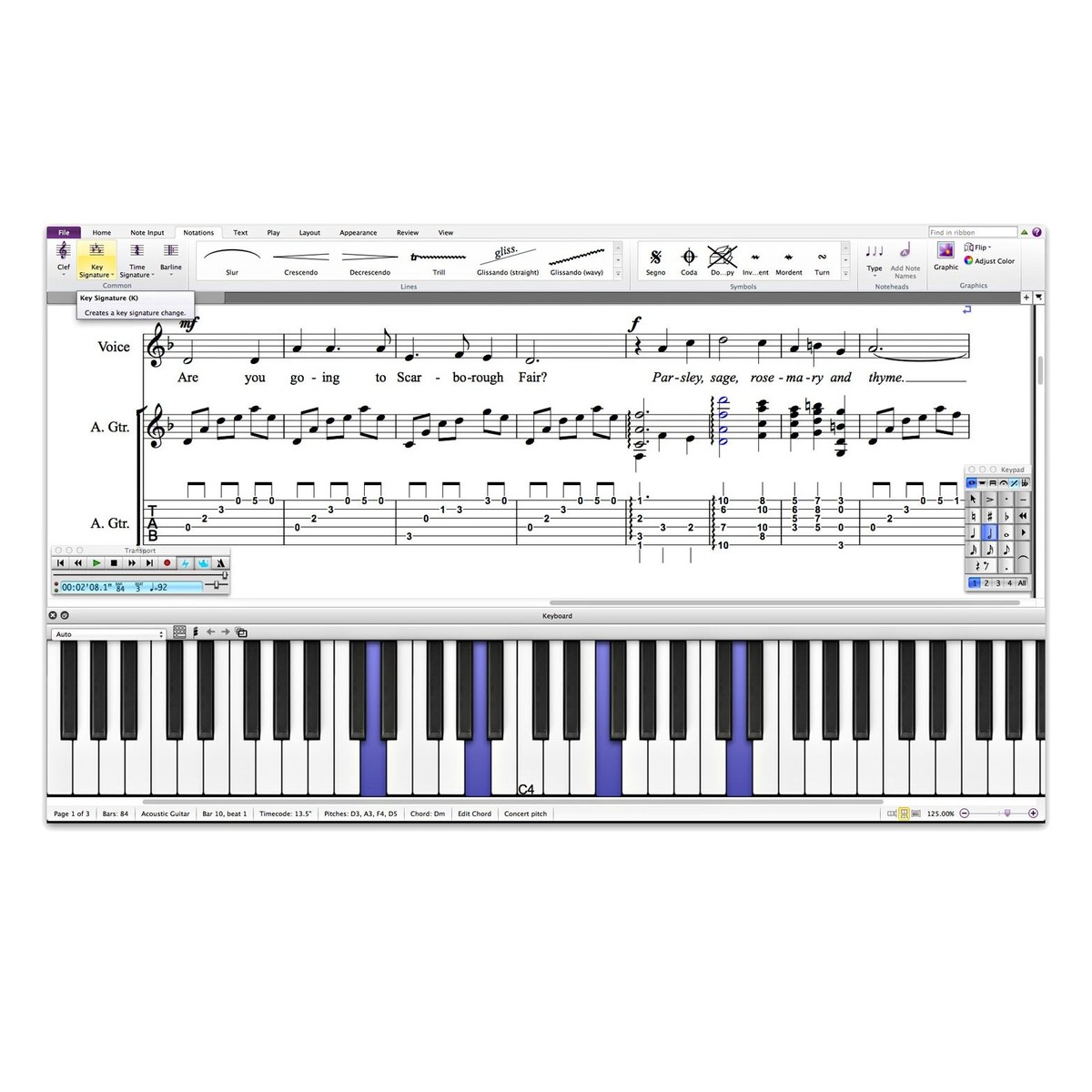
The user interface is so intuitive, you'll be able to jump in and start writing music right away. Choose the note input method that's most comfortable for you - play a MIDI instrument, transcribe audio, or scan sheet music. Revolutionary features like Magnetic Layout automatically take care of the details, so you can write music and create print quality scores with ease. If you get stuck or want to take your skills even further, just check out the how-to and help content.
Get Inspired
Want to hear how your ideas will sound in real life? Play back your scores in beautiful detail with the amazing collection of sampled instrument sounds - or use your own VST/AU virtual instruments or effects. If you need more inspiration, check out the Score Starter and Ideas library to kick-start your creativity. With Sibelius notation software in your toolkit, writer's block won't stand a chance.
Share Your Music With The World
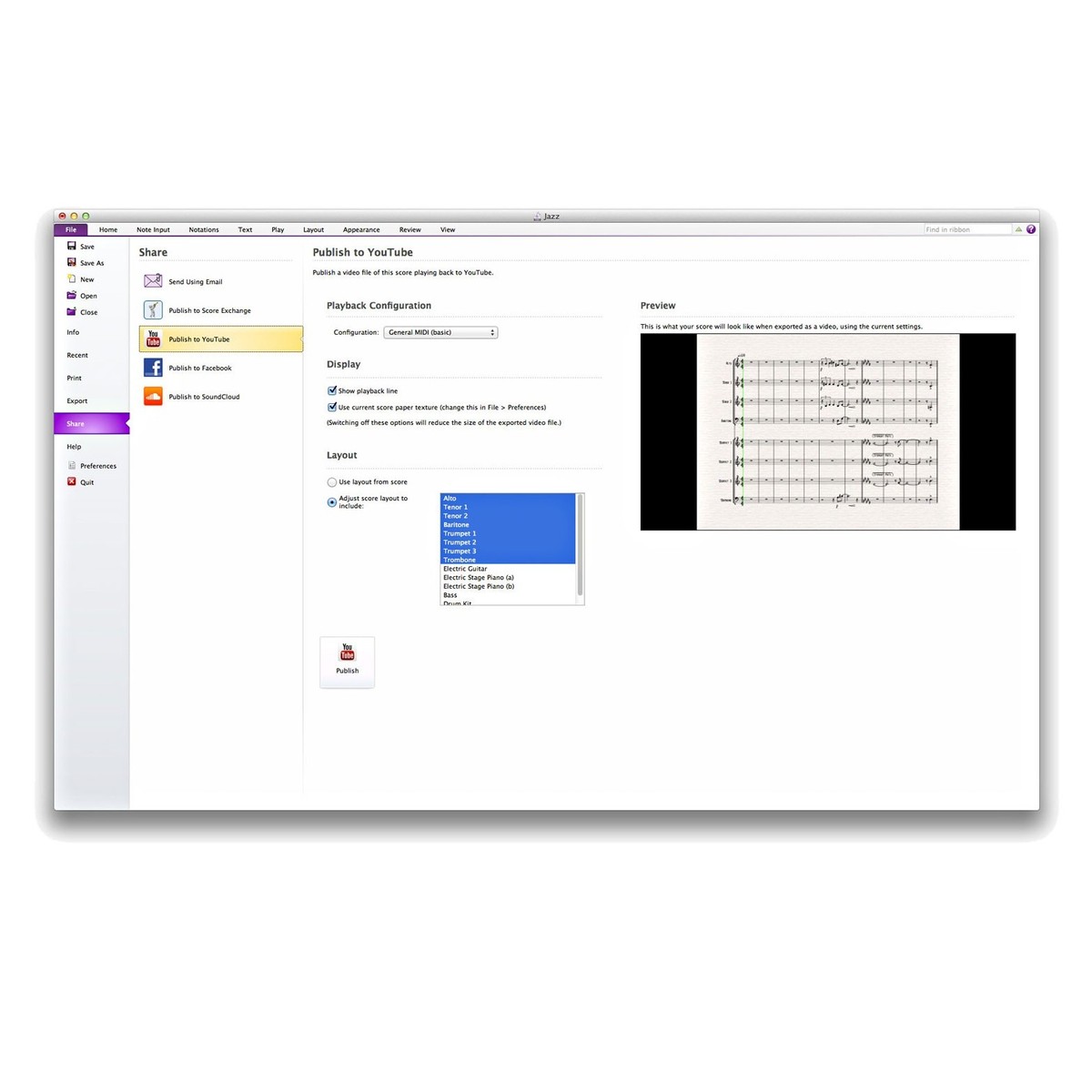
What fun is it to write music if you can't share it? Sibelius notation software gives you more options than ever - export scores to video; share directly to YouTube, SoundCloud, and Facebook; publish scores online; export for iPad; and more. Of course, you can also print, email, export scores as MIDI/MusicXML/PDF, and create audio files. You can also send your scores to the Avid Scorch mobile app and take them anywhere.
High-Quality Sound Library
The latest release of Sibelius features a better-than-ever range of sampled instrument sounds, including samples from the exclusive Avid Orchestra and rock and pop sounds from the team behind the Pro Tools Creative Collection and the Pro Tools Instrument Expansion Pack.
Integrated Sharing and Publishing
Turn your scores into audio or video files - then post your creations directly to YouTube, Facebook and SoundCloud. You can also easily create PDF files, attach scores to an email, export for iPad, or publish as digital sheet music on ScoreExchange.com
Redesigned Interface and Native 64-bit Support
The intuitive, task-oriented interface makes it easy for those familiar with Sibelius Version 6 to dive in and get the most from this latest version. Sibelius also lets you take full advantage of your 64-bit system to run VST and Audio Units virtual instruments and effects. Version 7 offers more instrument definitions, notations, plug-ins, and editing tools - plus a new note input method and full support for MusicXML.
Features
- Intuitive music notation software makes it easy to get great results without prior experience
- Let the innovative, task-oriented interface guide you through the songwriting process
- Get your ideas into Sibelius by scanning printed sheet music, transcribing audio, or playing MIDI instruments - and transfer music between applications via MusicXML
- Add chord symbols and guitar fretboard diagrams by playing a MIDI keyboard or guitar
- Turn guitar tab into notation, and back again
- Take advantage of built-in smart tools to get great results without engraving or notation expertise
- Magnetic Layout prevents collisions and moves score elements into position automatically
- Dynamic Parts automatically update when you change your score
- Easily add lyrics, titles, text, and graphics
- Hear your compositions in amazing detail thanks to the professional-quality sound library
- Expand your sonic palette with VST/AU virtual instruments or effects
- Unlock the full power of your 64-bit computer and directly address more than 4 GB of RAM
- Sync with other music software - such as Pro Tools - via ReWire
- Enjoy tons of sharing options - export scores as videos or audio files, publish directly to social media, publish online, email, print, create a PDF, and more
- Add Sibelius scores to the Avid Scorch app (available on the App Store) and take your music anywhere
Specifications
Minimum System Requirements - Version 8:
- Windows
- 64-bit Windows 7 (SP1 or later), Windows 8.1 64-bit (not Windows RT) or Windows 10 64-bit
- 1+ GB of RAM
- 1 GB hard disk space for Sibelius software only
- 10 GB additional hard disk space for the Sibelius Sounds library (optional installation)
- Internet connection required for software download and activation
- Mac
- Mac OS X 10.9. 10.10, 10.11, 10.12
- 1+ GB of RAM 1 GB hard disk space for Sibelius software only
- 10 GB additional hard disk space for the Sibelius Sounds library (optional installation)
- Internet connection required for software download and activation
Compatibility:
- Supports all M-Audio controllers - including HyperControl-enabled devices
- Syncs with other audio programs - such as Pro Tools - via ReWire
- Supports VST and Audio Units virtual instruments
In The Box:
- Printed Quick Start Guide
- Software activation card