


Mastering audio is a critical step in music production, and high-quality mastering plugins can transform a track, providing exceptional clarity and depth. These tools are essential in achieving the polished, professional sound that listeners expect.
We’ve gone through the vast landscape of options available and chosen the best mastering plugins to suit various needs. In this article, we’ll discuss why these plugins are some of the best, who they’re suited to, and what exactly they have to offer.
In a hurry?
Here are our top three plugins for mastering:
| iZotope Ozone 12 Advanced | All-in-one, AI-powered mastering solution utilises 21 modules to automatically perfect your sound. | Check the current price |
| FabFilter Pro-Q 4 | EQ Sketch allows you to create custom EQ curves, while Spectral Dynamics ensure precise and natural frequency shaping. | Check the current price |
| Blue Cat DP Meter Pro | Complete metering plugin with K-system scaling, Peak, RMS, and Crest Factor levels. | Check the current price |
The best mastering plugins
1. LANDR Mastering Plugin
 Key features
- Built from the same engine as their world-renowned online AI-mastering
- Three personalised masters to choose from (Warm, Balanced, and Open)
- Intuitive parameters let you make adjustments to taste
Pros
- High-quality, automated masters in seconds, removing the guesswork for less experienced engineers
- Produces masters designed to translate across multiple playback sources
- Real-time processing means no offline loading times
Cons
- Lacks detailed metering options for loudness and frequency response
Powered by over a decade of AI mastering technology, LANDR Mastering Plugin is the perfect solution for those on a tight deadline or beginners looking to eliminate the guesswork of highly technical mastering processes.
Analysing your track in real-time and producing three customisable masters, you have control over EQ, Compression, Stereo Field, Loudness, Saturation, Presence, and De-esser to tweak the outcome to fit your vibe.
Years of research and development means the intelligent algorithm behind the scenes can adapt to any kind of genre or style you throw at it. Powerful orchestral, punchy modern trap, or underground metal, the LANDR Mastering Plugin can handle it all.
Simple, professional sounds without overcomplicating it, the LANDR Mastering Plugin is a fantastic all-in-one solution.
2. iZotope Ozone 12 Advanced
 Key features
- 21 comprehensive modules cover all aspects of mastering
- Highly advanced AI machine learning produces sophisticated masters automatically
- Intuitive user interface lets you navigate the plugin with ease
Pros
- Master with speed and ease to an incredibly high standard
- Genre-specific targets tailor the master to genre-listening expectations
- Three brand-new modules, including Unlimiter, IRC-5 Maximizer and Bass Control
Cons
- Precise digital sound can sometimes lack the “character” of analog-modelled plugins
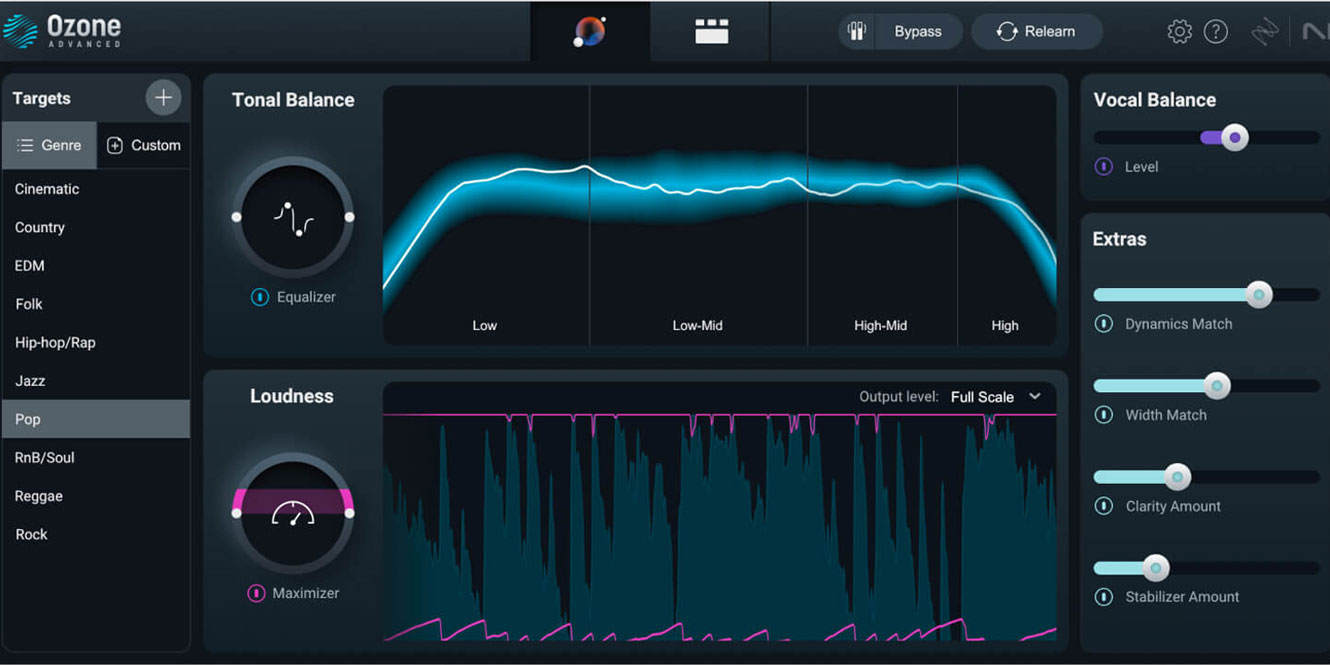
Harnessing the power of sophisticated AI machine-learning algorithms, iZotope Ozone 12 Advanced is arguably the most complete mastering plugin available. You’ll find 21 modules, each capable of being rearranged for a customised signal path.
Alongside the expected EQ, compression, exciter, stereo imager, and vintage-inspired effects, there’s a huge range of very technical modules that perform unique functions to take your sound to the next level. Master Rebalance, Spectral Shaper, Stem Focus, and Assistive Vocal Balance are unlike anything else available.
iZotope have really thought about everything. Audition different codecs, add personal references, or choose genre-specific targets for a master that resonates with audience listening expectations, and you can add Dither and gain match all within the plugin itself!
3. FabFilter Pro-MB
 Key features
- Six-band dynamics processor with compression and expansion per-band
- Dynamic Phase Processing delivers ultra-low latency for accurate compression
- Includes per-band parameters such as sidechain, ratio, attack, and release
Pros
- Easiest way to dynamically tame low-end rumble and piercing high-end
- Independent control over all six bands lets you fine-tune each frequency range
- Capable of all aspects of dynamic control from compression, expansion, and limiting
Cons
- Global mix control could be replaced with mix control per band
A must-have for mastering, multi-band compression is the easiest way to maintain consistent low-end and eliminate harshness and there’s no better than FabFilter Pro-MB. It’s incredibly flexible and gives a huge amount of control over six independent bands, letting you tailor the threshold, ratio, attack, and release characteristics of the compressor alongside essential controls such as sidechain inputs.
What makes it incredibly useful when mastering is the ability to use upward or downward compression modes to increase or decrease the dynamic range of frequency bands; its multiple modes, including linear-phase (essential for mastering); and the presets. They’re amazing in this plugin, letting you very quickly create a punchy master without diving too far down the rabbit hole of endlessly tweaking parameters.
4. FabFilter Pro-Q 4
 Key features
- 24 customisable EQ bands, each with a “solo” function
- Transparent sound doesn’t interfere with the sound of the original mix
- Support for 9.1.6 surround audio for modern Atmos mixes
Pros
-
Create curves quickly and intuitively with EQ Sketch
-
Manage multiple plugins simultaneously with the Instance List
-
Spectral Dynamics delivers precise and natural frequency shaping
Cons
- Adding analog-modelled EQ curves per band would be a game-changer
The ubiquitous EQ, FabFilter Pro-Q 4 is possibly the most complete EQ plugin available. Adorned with literally everything you could ever need, you can mix 9.1.6 Atmos tracks with 24 completely customisable bands, each with dynamic mode to give you maximum control over the frequency range. And there’s EQ Sketch, which allows you to draw custom EQ curves with ease and precision directly onto the interface. It’s presented in a gorgeous, flexible GUI and is so transparent that you wouldn’t even know it’s there in subtle applications.
Essential for mastering, the mid/side mode per band makes it ideal to do all the processing you need in one window, creating a cleaner stereo image. Visual feedback is extremely prominent, with a responsive frequency graph to see any changes you make.
5. Sonible Smart:EQ 4
 Key features
- AI-powered algorithms instantly create a tailored EQ curve
- Included profiles across multiple genres create more accurate EQ outputs
- Edit six tracks in one plugin with Group Mode
Pros
- Users of any ability level can create clarity in their masters
- Instantly create a balance between multiple tracks
- Complete customisation of the EQ output to suit your needs
Cons
- Doesn’t respond as well to full-range instruments like full drum sets
Mastering is all about making sure the mix is balanced across the full spectrum. This can be where some mastering engineers struggle; enter, the Sonible Smart:EQ 4.
Using incredibly advanced AI technology, Smart:EQ 4 uses profile-based learning to remove frequency masking from your tracks through 24 EQ bands. You can select one of the pre-made profiles or upload a reference track for it to analyse, meaning the output EQ curve will ensure your track sounds uniform with other tracks in similar genres and styles.
What makes Smart:EQ 4 special is that it helps users of any ability get closer to a more balanced sound. Whether you’re a pro looking for something to speed up your workflow or a beginner looking for a heavy-handed processor, Smart:EQ 4 can help!
6. Universal Audio Empirical Labs Distressor
 Key features
- The only official, authentic emulation of the fabled modern compressor
- Augmented controls with wet/dry mix knob and headroom dial
- Includes the iconic Dist 2 and Dist 3 distortion modes
Pros
- Extremely colourful compressor, perfect for enhancing depth and punch
- Attack and release times to tailor to the track tempo
- Infinite gain reduction variations to radically reduce dynamic range
Cons
- A bit inflexible in terms of compressor tone
When you need punch and unmistakable analog character when mastering, consider the Universal Audio Distressor. This official emulation delivers the same crunching compression tone as the hardware original, the perfect match for more aggressive musical genres such as trap, rock, metal, and punk.
With ratios that go from 1:1 to the signature “Nuke” ratio, you can shape the transient response and dynamic range of a full track with a huge range of control.
Improved over the original hardware, the added Mix control is great for parallel compression techniques to enhance sustain and attack without introducing “pumping” effects under heavy compression. Best of all, it’s incredibly simple to use and comes with a selection of presets from trusted industry professionals to provide inspiration.
7. Sonnox Oxford Inflator (Native)
 Key features
- Band-split and Direct modes
- Adds punch to your tracks without typical compressor artefacts or colouration
- Streamlined interface eliminates complicated parameters
Pros
- Preserves dynamic range even on already clipped signals
- Band-split and Direct mode helps shape the response to your track
- Enhance the master loudness without colouration
Cons
- Interface is dated and could benefit from improved metering
A bit of a sleeper plugin, the Sonnox Oxford Inflator is the perfect mastering-grade maximiser. It delivers impressive enhancements to hard-clipped signals by adding perceived dynamic range. Its standout ability is that it preserves the transients and subtleties of your audio, effectively avoiding undesirable pumping effects.
Despite offering powerful processing capabilities, it requires a minimal learning curve, making it an ideal choice for both novices and seasoned professionals.
The Oxford Inflator also boasts Band-split and Direct modes, providing customisable responses tailored to unique instruments. This level of flexibility ensures precise audio output across a wide variety of musical elements.
8. Relab 176 Tube Compressor
 Key features
-
An exact plugin replica of the 1960s 176 tube hardware compressor
-
Models every tube stage, transformer, and timing network
- Adjustable transformers and resistors, and calibration control
Pros
-
Fixed-threshold and variable-gain design delivers adaptive control for a musical compression tone
-
Offers much more flexibility than the original hardware, with Tube Bias, Harmonic Profile, and dynamics with the single “Calibration” control
-
Join the exclusive Relab community to share mixes, get feedback, and learn from the best in the industry with every purchase
Cons
-
Built-in metering and graphs are on the small side
The Relab 176 Tube Compressor recreates the iconic 176 tube compressor in every detail. It slots seamlessly into vocal tracks, mix busses, or instrument channels, delivering musical compression that reacts naturally to your audio. You can tighten peaks without flattening dynamics, and the tonal behaviour remains true to the hardware, scaling with the level and character of your source.
Its fixed-threshold, variable-gain setup responds dynamically, with ratio settings that shift the knee and response curve to suit anything from gentle levelling to tight limiting. The attack and release move with the programme material, influenced by transformer and tube interactions, giving it a flowing, organic feel.
You then have the Calibration dial, which makes tonal and dynamic tweaks quick and precise, adjusting multiple internal parameters in one go. With selectable signal paths — resistor for vintage warmth, transformer for a brighter edge — and polarity-aware sidechain detection, you gain targeted control over transients without compromising tone.
9. NUGEN ISL 2ST
 Key features
- Utilises True Peak algorithms in mono and stereo modes
- Employs ITU-R B.S 1770 and related standards
- Detailed visualisation guides you through your limiting
Pros
- Extremely clean tone, free from any distortion even at high settings
- Unique TPlim control automatically adjusts transfer curve parameters in real-time
- Two listen modes: Auto and Difference
Cons
- Could be too complicated for beginner users
The NUGEN ISL 2ST stands out among high-quality limiting plugins, providing transparent and precise limiting even when pushed to the extreme.
Designed to handle inter-sample peaks, it ensures accurate peak detection and prevents distortion when running audio through codecs. Utilising specialised TPlim controls and ITU-R B.S 1770 and related standards, it’s suitable for a huge variety of applications from mastering to post-production, making it a great utility tool to have in your arsenal.
It’s equipped with all the features you need, including two Listening Modes and a good amount of metering tools; some may find this off-putting but it takes nothing away from its functionality and sound. The plugin’s capability to deliver a brick wall limit without crushing the audio is particularly impressive and a reason why it’s in our list of best mastering plugins.
10. XLN Audio RC-20 Retro Color
 Key features
-
Six onboard modules, ranging from vinyl emulation to reverb
-
Simple and intuitive user interface
-
Global controls over the mix level and EQ filters
Pros
-
Tame off the harsh edges of digital recordings and inject vintage warmth into your mixes
-
Perfect for any genre or style, from hard rock to hip-hop
-
Comes with a huge range of professional presets
Cons
- Lack of auto-gain feature for global controls to A/B your master volume compensated
The RC-20 Retro Color is a go-to plugin for adding warmth, texture, and character to any track.
Its six modules cover everything from vinyl crackle and wobble to saturation, space, and stereo movement. You can subtly round off harshness or go full lo-fi – the choice is yours. The Flux Engine adds a layer of unpredictability, mimicking the quirks of analog gear so your mixes feel more alive and less clinical.
Thanks to the generous selection of presets, it’s easy to get started and dial in a vibe quickly. The only thing missing is an auto-gain function, which would help when comparing processed and unprocessed sounds. Still, RC-20 is a creative powerhouse, especially if you’re after a warmer, more nostalgic tone.
11. Sonnox Toolbox ListenHub
 Key features
- A/B multiple sources from your DAW and audio system-wide simultaneously
- Monitor independent frequency bands and variations of the stereo field independently
- Add plugins to the output chain to see changes in real-time to the frequency and dynamics
Pros
- The one-stop solution for A/B’ing your track against commercial releases to help shape your sound to a professional standard
- Helps identify the loudness of your track against professional references
- Powered by sophisticated audio processing techniques to ensure completely transparent audio quality
Cons
- It’s missing the ability to customise the frequency bands for isolated listening
Comparing and monitoring your tracks is an underappreciated but essential aspect of mixing to a professional standard. Sonnox Toolbox ListenHub is among the very finest comparison tools available. Encompassing a wide range of tools in a streamlined solution, ListenHub’s loudness section provides crucial feedback on your mix’s levels, ensuring they meet industry standards.
With the unique ability to reference against any streaming source, including YouTube and Spotify, ListenHub ensures your mix can stand toe-to-toe with your favourite tracks.
12. Blue Cat Meter Pro
 Key features
- Multichannel metering tool with peak, RMS, and Crest Factor levels
- Analyse left and right channels independently with K-system ratings
- Print recorded measurements as automation within your host
Pros
- The complete metering tool for all aspects of loudness
- One of the few metering plugins offering Crest Factor levels
- Colour-coded display helps to navigate information
Cons
- Dated interface could be updated to modern standards
Offering an exceptional suite of features for meticulous audio metering, the DP Meter Pro is a fantastic option at a good price. With capabilities for peak, RMS, and Crest Factor level measurements, it ensures precise monitoring of audio dynamics. The impressive support for K-System scaling facilitates adherence to industry-standard loudness levels, one of the few that utilises this measurement.
Although the interface is now dated, the incredible feature of printing recorded measurements as automation within your host software, enabling accurate level adjustments during the mastering process, can’t be understated.
What is mastering?
Mastering is the final stage of audio production. The purpose of mastering is to balance the sonic elements of a mix and enhance the overall sound, create consistency across an album, and optimise playback across all devices, from small phone speakers to headphones to large concert hall sound systems.
Mastering a song involves taking a stereo mix and putting the final touches on it by elevating certain sonic characteristics. This can involve processes like EQ, compression, saturation, and stereo enhancement to achieve a polished final sound, helping to focus the listener on the aspects the artist intended. To help understand the processes involved in mastering, a full article on the topic has been posted here.
As the last step in the process, mastering can also be used to quality control the audio, identifying any errors that can distract the listener from the music. The end result is a polished, clean sound that is optimised for consistent playback across different formats and systems with competitive volume levels.
FAQs
What is too loud for a master?
Exceeding a loudness of -7 LUFS is too loud for a master and degrades the quality of music. Beyond this level, music does not sound louder but, instead, loses its quality. Optimum loudness greatly depends on the genre, however, modern streaming services generally recommend a level of around -14 LUFS.
Which is harder: mixing or mastering?
Neither mixing nor mastering is more difficult than the other. Mixing uses more tools across more tracks, and so some producers find this more challenging. Mastering uses highly technical processes and subtle changes to achieve a professional standard, making it more difficult for some producers.
What do mastering engineers use?
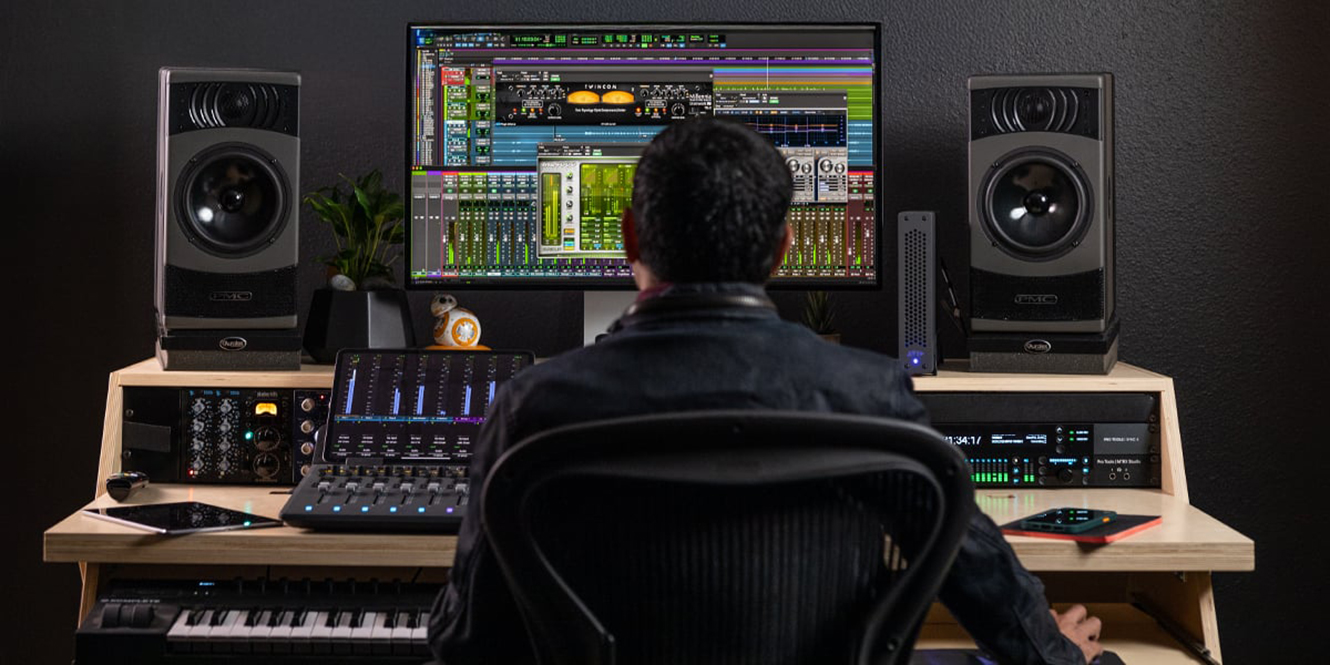
Mastering engineers use a variety of effects plugins inside a DAW. Things like compression, EQ, limiting, saturation, and stereo enhancement plugins are used to achieve a finished product. Most importantly, an acoustically-treated studio and high-quality studio monitors are also used.
Final thoughts
As I round off, it’s clear that there’s no one-size-fits-all plugin, however, our list of the best mastering plugins has been curated to cover all different aspects of the mastering process.
As an art form, it’s important to continue practising and expanding your knowledge on the subject. If you’re after more guidance in the studio, have a read of the most effective reverb plugins and how to use a compressor.




0 Comments