



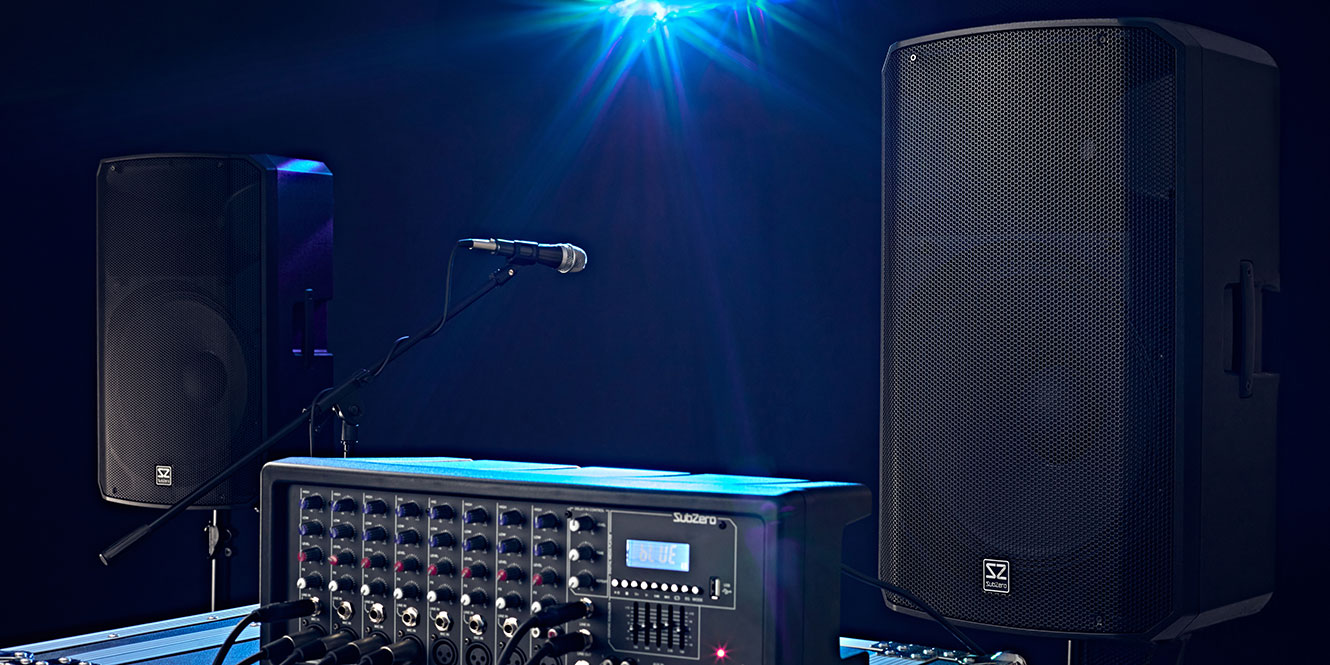
If you’re looking for a PA system or already have one, you’ll probably want to know how to look after it. Caring for your PA equipment is really important for a number of reasons. The first is obvious: you need all your kit to be in working order to ensure your gigs go smoothly.
You also want that kit to work for as long as possible, so you can get the most out of it. Most of us have heard that annoying sound of speakers popping, and while there are ways to fix this, regularly cleaning and maintaining your system will help keep it in full working order.
If you do decide to upgrade or part ways with your system, you’ll also get a better price for it if it’s well looked after!
So, let’s look at how to maintain your PA system. If you need more guidance from people experienced in using and maintaining PA systems, our experts are ready to chat on Reddit, where you can find more personalised advice.

Key takeaways
No time to lose? Here’s the rundown.
- Use suitable cases, bags, and covers to protect your equipment during transport and storage
- Clean your PA system regularly to prevent dirt, dust, and moisture from causing damage
- Coil and store cables correctly to reduce wear and avoid tangles
- Protect your equipment from weather, excessive heat, and electrical surges when performing outdoors
- Avoid pushing your system too hard and leave plenty of headroom to help maximise service life
- Maintain battery-powered equipment properly by storing batteries with charge and powering units down when not in use
- Keep firmware updated and consider professional servicing as equipment ages
How to maintain your PA system
To properly maintain your PA system, you need to consider a few things. How big is your rig, and how frequently are you using it? If you tend to be on the road with a van full of speakers, you’ll need to put more effort into maintaining your kit, especially if you have a lot of different equipment.
Smaller PA systems might have less to them, but it’s still important to consider all the ways you can keep them in good nick. The differences between old and brand-new kit are important to note, too. Older kit may be prone to wear and tear due to heavier designs or materials that aren’t as suitable, but newer stuff may have more complicated electronics that could be susceptible to failure.
There are many more factors to consider, but there are core principles that apply to most systems.
Ensure safety in transport and storage
 Protecting your PA system is fundamental to ensuring it’s maintained properly.
The best way to do this is by having covers, bags, or cases that offer protection in both storage and transport.
Some PA systems already come with a cover or carry solution included. For example, the Yamaha Stagepas 1K MK2 Column PA System includes a cover for its column array components, while portable systems such as the Bose S1 Pro+ Multi-Position Battery Powered PA System are often paired with dedicated protective covers.
Hard cases are the most protective, usually meeting ATA flight case standards. These offer the best protection against all forms of damage, such as the elements, impact damage, sharp objects, punctures, and scratches.
The downside to a hard case is that it’s heavy and cumbersome, and not easy to transport by hand. They’re best for the most delicate equipment, such as mixers, microphones, recording equipment, DJ decks, and processing units.
You can even get hard cases that will fit 19-inch rack units — great if you have a van (or don’t need to walk up stairs!).
Products such as the Gator GTSA-MIX192106 ATA-Rated Mixer Case and Heavy Duty Case with Pick Foam by Gear4music are good examples.
Soft cases are lighter, more malleable, and easier to carry than hard cases. These offer some of the thick padding and rigidity that hard cases do, but not nearly as much. They’re still a lot better than not having any case or using a lighter cover, though. And sometimes, having a lighter case can actually be safer, especially if you’re lifting heavy equipment.
They also protect buttons, inputs, dials, knobs, and faders effectively as well. And depending on what material they’re made from, they’re generally very good at resisting scratches, scuffs, and light exposure to the elements. But don’t go submerging them, as they won’t float, and your gear will get wet. These bags are best for the same equipment as hard cases, but with a degree less impact protection and an easier life when carrying them. The Gator G-MIXERBAG-1212 Padded Mixer and Equipment Bag is a good example.
Soft bags are usually more thinly padded, and they provide scratch and scuff protection for equipment. These won’t defend against heavy falls and impact damage, but they will make your life easier in terms of transport. They’re best for PA speakers, stands, and other utility equipment that is quite robust in its own right.
They’re not a suitable solution for transporting and storing your more delicate items, but they’re definitely much more convenient for larger, more rugged kit. Examples include the Gator GPA-TOTE12 Heavy-Duty Tote Bag for 12″ Speakers, the Gravity GBGMS6B Transport Bag for 6 Microphone Stands, and the carry bag included with these PA Speaker Stands (Pair).
Soft covers provide basic protection against dust, dirt, scratches, and scuffs, making them a cost-effective option for equipment that’s already quite rugged. The Gator GPA-CVR12 Nylon Speaker Cover is a typical example.
Dedicated storage solutions can also help keep equipment organised and reduce the risk of leaving items behind at gigs. Products such as the Gator G-PA TRANSPORT-SM Small Portable PA System Case help keep complete systems together, while a trolley like the Gravity CARTM01B Multifunctional Trolley can make loading in and out much easier.
Clean your system regularly
Cleaning your kit is really important. I do it after every gig. First, I lay out all my kit and cables, then I clean each part with an antibacterial wipe or a cloth and some antibacterial spray. Next, I make sure to remove any moisture or wetness with a dry cloth.
I also brush and hoover any crevices, nooks, and crannies to make sure there’s no loose dirt anywhere. Dirt and dust on your equipment can trap moisture and bacteria picked up from gigs and venues, especially if you’re trailing cables across the floor. This can cause damage and corrosion to equipment, which can be costly to sort out and leave the kit looking battered and shabby.
Such a thorough process also allows me the time to inspect each item for physical damage.
When cleaning your kit, you should try to avoid using water or liquids, as these could damage the electronic components. If you’re using damp cloths or wipes, make sure the item you’re wiping is disconnected, and don’t wipe electrical components directly. Dry everything afterwards.
It’s also good to wipe down protective covers, as these can pick up dirt, too.
Manage your cables correctly
 Cables can be annoying. They’re always getting tangled and knotted, and are forever the bane of a system engineer’s life. A simple way to mitigate this is to make sure you wrap them correctly.
The best method is the over-under method, which keeps cables neat while reducing the amount the cable itself is actually wound and kinked.
To do this, hold your cable with one hand and wrap it once over your other hand with a loop large enough to fit your arm through. Then repeat the loop, but feed the cable behind the existing one. If the cable is tightly wound in one section, twist it with your fingers as you coil it to release the tension.
This should give you a neatly coiled cable that you can secure with a Velcro strap or cable tie for storage.
Products such as the Cable Ties by Gear4music or the Fisual Branch-Out Zip Up Cable Tidy are simple ways to keep cables organised and prevent tangles in storage.
Don’t wrap cables around your elbow or hands, as this creates tension and kinks, leading to damage. It also makes them harder to deploy as they don’t sit flat.
Another tip for cable management is marking the ends of cables with coloured electrical tape and marking your equipment with corresponding stickers to make life easier when routing everything together, especially when you have help from people who might not understand how everything is connected. You could label them with words or symbols if you prefer.
There’s endless utility in labelling cables, and you might choose to colour-code different types of cables, too.
Protect your equipment while in use
Not only do you need to make sure that your kit is safely stored, transported, and prepped, but you also need to keep it in good shape while it’s in use.
An easy way to protect your kit while using it is to get the right stands. Tripod stands are not only perfect for keeping your speakers elevated to the ideal height, but they also provide good stability.
Staging and trussing can help protect equipment and separate the audience from performers and equipment, because you don’t want things to be knocked over or have drinks spilt on them. If you can place your equipment behind barriers to stop people from getting near it, your kit will be much safer.
Another main consideration is the elements. You don’t want to expose your kit to rain, water, or mud, as moisture is terrible for electronics, but you also don’t want to expose it to direct sunlight, heat, or dust and dry dirt. The best way to protect against direct contact with rainwater, dust, and dirt is to buy equipment with an IP rating of 65 or higher.
If you can’t splash out (pun intended) on high IP-rated gear, the best thing to do is cover your kit. For this, you may want to invest in a gazebo, marquee, or stretch tent if you’re regularly playing outdoors.
Another problem is that most speakers and equipment come in black casings, and black absorbs light, which means equipment can get very hot in the sun. This can warp cabinets and components, as well as damage electronics. You can also use a gazebo to provide shade for your equipment and help prevent this from happening.
External factors aren’t the only thing to keep in mind when protecting your gear. Electricity can be damaging to your equipment, not to mention dangerous.
It’s a very bad idea to use multiple unregulated extension cables plugged into one another, as this provides no protection for your kit and presents fire and shock hazards. You might want to get a power conditioner, such as the Furman M-10XE Power Conditioner, to help protect against power surges and inconsistent power.
Keep volume levels sensible
 As well as protecting your equipment, you should also make sure you’re driving your gear suitably during use.
If you have too much input gain from your sound sources, too much volume going from your mixer to your speakers or amplifier, or if you have your speakers or amplifier turned up too high for their drivers, you could damage each of these pieces of equipment.
To combat this, you should keep volume levels between low and medium, leaving plenty of headroom for spikes and transients. This allows you to operate the equipment for longer without it getting too hot and helps your overall rig sound better.
If you can’t constantly monitor levels or you want a system failsafe, you can use a limiter to restrict the amount of volume transmitted between pieces of equipment.
Most digital mixers and speaker processors have built-in limiting features, and modern DSP speakers often include this function too. If you don’t have one, however, you can get an outboard rack-mounted unit that will easily fit into a rack system.
Look after your system’s battery life
Battery life is something that’s really important for wireless kit and portable PA systems. The best way to maintain batteries is to keep them charged to at least halfway when not in use, as standard lithium-ion batteries can degrade over time when no charge is stored in them.
On the other hand, excessive charging and prolonged use while charging can also degrade the battery. Most modern systems can disengage the battery to preserve it when operating on mains power, but this isn’t always the case. The best thing to do is power the unit down when you’re not using it.
Update firmware and get your gear serviced
Another factor to consider when maximising the service life and compatibility of your equipment is updating firmware where possible and having it electronically serviced after a few years of regular use.
Updating firmware is important for bug fixes, utility expansions, and support for newer formats, helping to keep your kit in line with the latest innovations and efficiencies being developed.
Servicing will usually be carried out under warranty if there are issues with the equipment itself, and it’s probably best not to have it opened up and serviced while it’s still within this period. Afterwards, however, you should consider having it checked by a professional to make sure it’s all in good working order, and that doesn’t necessarily mean only when something is broken.
FAQs
How should I safely set up a PA system?
Safely setting up a PA system means keeping all equipment powered off while making connections, turning speakers or amplifiers on last and off first, and avoiding plugging or unplugging audio cables with live signal present. This helps protect both equipment and users from damage.
What should I clean my PA system with?
The best way to clean a PA system is with soft brushes, dry microfibre cloths, and a vacuum cleaner to remove dust, while lightly damp wipes or cleaning fluids can be used on external surfaces away from electrical components. Always allow equipment to dry fully before using it.
What is the most common speaker failure?
The most common speaker failures are caused by clipping, driver wear, distortion, blown fuses, and damaged cables, all of which can occur when equipment is pushed too hard or not maintained properly. Regular inspections and sensible volume levels can help prevent many of these issues.
Final thoughts
So, we’ve looked at pretty much all the ways you can maintain your PA system. A lot of these things only take a few extra minutes, but they can make a big difference over time. Looking after your equipment properly will help keep it reliable, sounding its best, and ready for the next gig.
I hope this article has been helpful, and if you enjoyed it, be sure to check out some more of our PA and live sound articles for additional tips and advice.






0 Comments