
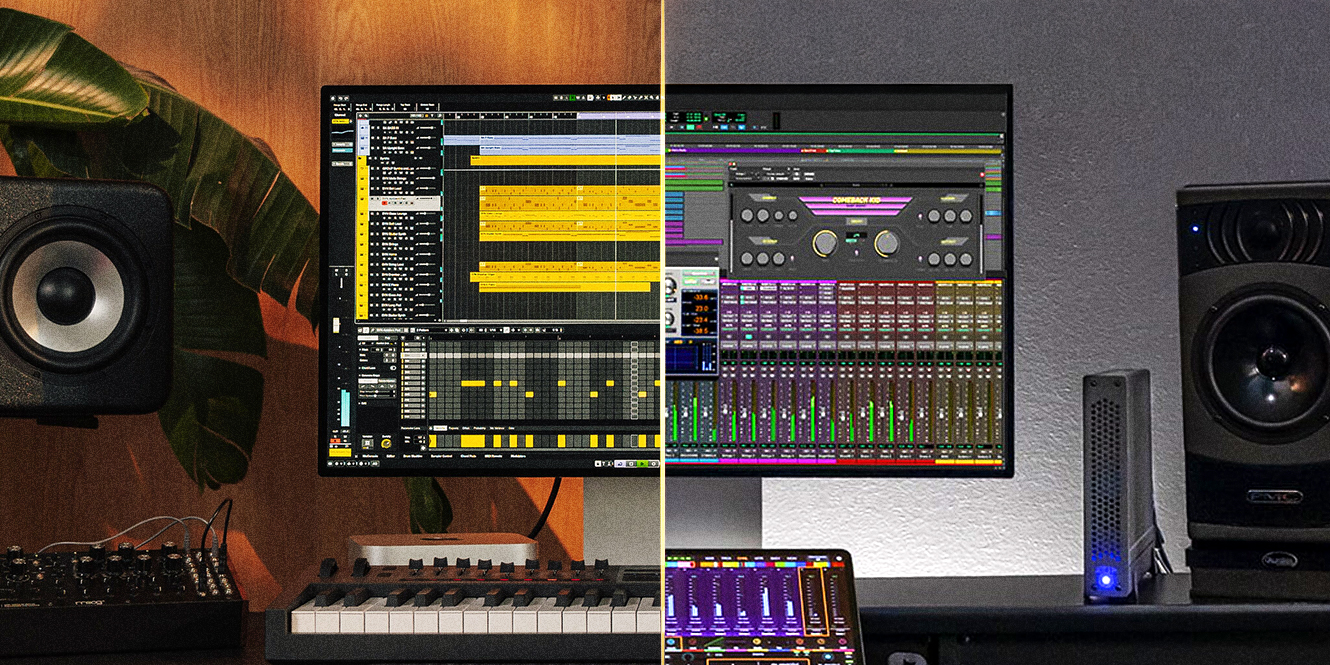

Choosing the right DAW can shape your entire music production journey. In this guide, we break down the key differences between two of the industry’s most powerful digital audio workstations: Cubase and Pro Tools.
From workflow and MIDI capabilities to plugins, recording tools, and affordability, our Cubase vs. Pro Tools comparison will help you find which DAW suits your style and creative process.
In a hurry? Here are the key differences
| Cubase | Pro Tools | |
|---|---|---|
| Key Features | Flexible and versatile DAW with powerful MIDI tools and advanced composition features. | Industry-standard DAW focused on precision audio editing, mixing, and mastering. |
| Workflow | Highly customisable and adaptable, ideal for switching between MIDI composition, recording, and mixing. | Structured, console-style workflow designed for efficient recording, editing, and mixing. |
| Plugins and Virtual Instruments | Strong built-in library with high-quality instruments and effects using VST format. | Large selection of plugins, including third-party tools, using AAX/AAX DSP formats. |
| Recording and Audio Editing | Professional recording tools with flexible editing, including AudioWarp and VariAudio. | Best-in-class recording and editing tools with high track counts and precise control. |
| Compatibility | Works on Windows and macOS with broad VST plugin support. | Supports Windows and macOS, with flagship integration in professional studio environments. |
| MIDI | Industry-leading MIDI implementation, perfect for composition, orchestration, and scoring. | Capable but less intuitive, better suited for basic MIDI alongside audio production. |
| Affordability | Multiple-tier options offering a tailored range of features for all levels. | Scalable tiers with strong professional value, particularly for studio and collaborative work. |

Cubase vs. Pro Tools
Key features
 Cubase and Pro Tools offer two different approaches to music production: creative flexibility versus professional audio precision, respectively.
Cubase focuses on versatility and composition. It offers a powerful MIDI engine, with tools like the Chord Track, Scale Assistant, and Key Editor enabling detailed composition and arrangement.
There’s also VariAudio for pitch correction, AudioWarp for timing adjustments, and the MixConsole for advanced mixing – essentially, a complete production environment.
Cubase also supports Dolby Atmos and video integration, making it great for film, TV, and game scoring. It has a customisable interface and workflow tools which let you tailor the DAW to their exact needs.
On the other hand, Pro Tools centres on audio recording and industry-standard mix and mastering tools. It delivers high-precision editing tools, including Elastic Audio and advanced comping. You can also collaborate with other producers through the DAW and seamlessly share sessions across studios.
With support for AAX DSP and HDX systems, it provides low-latency performance for demanding sessions. Its mixing and mastering environment is trusted worldwide, particularly in professional studios and post-production settings.
Workflow
 The way you interact with your DAW is incredibly important. The workflow determines your ability to take your idea from inception to reality. If it’s not smooth or it doesn’t work for you, you’ll be constantly fighting against the software to get your ideas down.
Cubase’s workflow is flexible and customisable. It offers multiple ways to approach music production, whether you’re composing with MIDI, recording audio, or building complex arrangements.
Tools like the Chord Track, Key Editor, and custom workspaces allow you to shape your environment around your workflow — ideal for film scoring and MIDI-heavy projects.
Pro Tools workflow is structured and streamlined, focusing on audio recording and editing. It follows a more traditional, console-style layout that mirrors real-world studio environments and allows engineers to work intuitively with live recordings and multitrack sessions.
Editing is fast and precise thanks to clearly defined tools and efficient processes that prioritise efficiency, but it’s less flexible for experimental or loop-based productions. Rather, Pro Tools is great for consistent, repeatable workflows, particularly in professional studio settings.
Plugins and virtual instruments
 Your DAW is more than just the arranger window and a mixer. Both Cubase and Pro Tools come with a huge range of effects and virtual instruments to help you compose, mix, and master your music exactly the way you want.
Pro Tools’ focus on traditional arranging, mixing, and mastering gives it the edge, with up to 130 virtual instruments and effects in Pro Tools Ultimate to Cubase Pro’s 107.
Pro Tools also features third-party plugins from leading developers, including Native Instruments, Celemony, iZotope, Synchro Arts, and more, offering a wider and more comprehensive range of plugin tools available.
The DAW also uses the AAX and AAX DSP formats, allowing for the use of DSP acceleration through HDX hardware for high-performance and low-latency mixing and mastering.
Having less doesn’t mean that Cubase is lacking. Cubase Pro includes up to 96 effects and 11 virtual instruments — a well-rounded toolkit straight out of the box. Boasting instruments like HALion Sonic and Groove Agent, Cubase provides everything from realistic acoustic sounds to advanced synthesis.
On the effects side, you have Frequency EQ, REVelation reverb, Spectral Comparison EQ, and others for professional mixing and sound design capabilities. Cubase uses the VST format (including VST3), giving you broad compatibility with third-party plugins.
Recording and audio editing
 Both Cubase and Pro Tools are extremely competent DAWs when it comes to audio recording and editing, each offering a different selection of professional tools to get the job done.
Cubase has a flexible and creative approach. It supports large track counts and offers intuitive routing for microphones and instruments. Cubase includes advanced comping, AudioWarp for stretching and quantising, and VariAudio for pitch and timing correction, all integrated into a streamlined interface.
It also provides detailed editing tools for slicing, aligning, and refining performances, making it well-suited to both corrective editing and creative sound design.
Pro Tools’ recording and editing capabilities are designed for precision and large-scale sessions. Higher-tier versions support hundreds or even thousands of audio tracks, making it ideal for recording full bands or complex orchestral productions.
Setting up inputs is simple, with expert hardware integration and low-latency monitoring.
But editing is where Pro Tools truly shines, with tools like playlist-based comping, Beat Detective for timing correction, and Elastic Audio for time-stretching. These features allow you to tighten performances, align transients, and edit audio with exceptional speed and accuracy, especially in high-pressure studio environments.
Compatibility
Operating system
| Mac | Windows | |
|---|---|---|
| Pro Tools | macOS Catalina 13 - macOS Tahoe 26 | Windows 10, 11 (22H2) |
| Cubase | macOS Sequoia 15 - macOS Tahoe 26 | Windows 10 and Windows 11 (64-bit) |
CPU
| Mac | Windows | |
|---|---|---|
| Pro Tools | Apple Silicon or Intel Dual Core i5 or faster | 64-bit Intel Core Processor (i3 2GHz or faster recommended) or AMD equivalent |
| Cubase | Intel Core i5 or later and Apple Silicon | Intel Core i5 or AMD Ryzen 3000 or later |
RAM
| Mac | Windows | |
|---|---|---|
| Pro Tools | 8GB | 8GB |
| Cubase | 8GB | 8GB |
Disk space
| Mac | Windows | |
|---|---|---|
| Pro Tools | 15GB | 15GB |
| Cubase | 85GB | 85GB |
MIDI implementation
 With Cubase’s origins as a MIDI sequencer and Pro Tools’ focus on audio editing, it’s no wonder that Cubase’s implementation of MIDI is superior. Cubase MIDI implementation is intuitive and built for composition.
It offers advanced MIDI editing tools, making it easy to programme and refine parts with precision.
There’s the Key Editor, Chord Pads, and other features that streamline songwriting, while seamless integration with virtual instruments allows you to build full arrangements quickly. Because of this, Cubase has almost become the de facto DAW for scoring and orchestration with MIDI instruments.
Pro Tools’ MIDI implementation is capable but less flexible and intuitive in its design. It does support MIDI sequencing, but the workflow isn’t as fluid or feature-rich as Cubase.
It works well for layering MIDI alongside recorded audio, but complex composition or orchestration can feel cumbersome for larger projects.
Affordability
 Cubase Elements is the budget-friendly starting point to the DAW, offering essential tools and sounds that are ideal for beginners. Cubase Artist expands on this with more advanced production features and an enhanced range of included effects and instruments. Cubase Pro is the complete, professional toolkit.
Across all tiers, Cubase has a generous selection of plugins and instruments, meaning you don’t need to rely too much on third-party additions.
Pro Tools Artist is the core version of this DAW and the most affordable. Studio introduces a more complete environment for serious creators and mixing engineers by including a wider range of effects and instruments. The track limit is also dramatically increased here.
Pro Tools Ultimate is aimed at high-end production and post-production workflows. Here you’ll find industry-standard tools and collaboration features that make it a good long-term investment if you’re working in professional studio environments.
In addition, Pro Tools is also available either as a perpetual licence or subscription fee, offering a flexible payment solution for any kind of producer.
Cubase pros and cons
| Pro | Con |
|---|---|
| Powerful MIDI and composition tools | Can feel overwhelming for beginners |
| Flexible, customisable workflow | Less common in professional studios, making collaboration more difficult |
| Huge library of built-in plugins and instruments | |
| Excellent for film scoring and orchestration | |
| Extremely stable performance with excellent audio fidelity |
Pro Tools pros and cons
| Pro | Con |
|---|---|
| Industry-standard DAW found in most professional studios | MIDI workflow is less intuitive |
| Exceptional audio recording and comping capabilities | Higher cost than many competitors |
| Seamless collaboration and session sharing | |
| Precise, non-destructive audio editing tools | |
| Massive range of professional-grade plugin effects for mixing and mastering |
How to choose the right DAW for you
Before you make any decisions, we recommend thinking first about the type of music you want to produce. Some DAWs lean towards specific genres. For example, Ableton Live excels in electronic and loop-based production, while FL Studio’s pattern workflow suits hip-hop and beat-making. Cubase, on the other hand, tends to be used for composition, scoring, and immersive audio formats like Dolby Atmos.
You’ll then want to assess your experience level. If you’re a beginner, go for a DAW version that’s not too complicated but still gives you room to learn. As your skills grow, you can transition to more advanced platforms.
Compatibility is non-negotiable. Always check that your DAW runs on your operating system version before committing. Some are exclusive to macOS, while others support both Windows and Mac.
How you use the DAW is down to your preferred workflow. You might opt for a timeline-based DAW such as Pro Tools, or you might find that pattern-based systems such as Bitwig Studio suit you better.
You should also think about the kind of plugins and virtual instruments that come with the DAW — these will be your creative toolkit. Many DAWs include synths, effects, and virtual instruments to help you compose, mix, and master your music, but some offer much more than others.
Finally, consider whether you require video support if you work with visuals for film, TV, or video games.
FAQs
Do professionals use Cubase?
Many professional musicians and composers use Cubase in music production and film scoring. Industry experts like Hans Zimmer depend on it for composing and editing complex arrangements. Cubase’s powerful features, editing tools, and included sounds make it reliable for professional music production.
Which DAW is Apple-only?
Logic Pro is the DAW that is Apple-only and runs exclusively on macOS systems. Developed by Apple, it’s optimised for seamless performance within the Apple ecosystem. Its advanced tools, virtual instruments, and user-friendly interface make it a leading choice for Mac users.
What are the disadvantages of Cubase?
The main disadvantage of Cubase is its steep learning curve due to its extensive feature set. Beginners may find the interface and navigation overwhelming at first. However, with time and practice, you’ll soon realise it has a fast, efficient workflow and deep production capabilities.
Final thoughts
Ultimately, the Cubase vs. Pro Tools debate comes down to your workflow and creative needs. Both DAWs offer powerful features, high-quality plugins, and scalable options to suit different users.


0 Comments