


If you want to start broadcasting from your room – whether that’s playing video games, dancing, or just chatting – you’ll want an audio interface that is suitable for streaming. But which is the one for you? To help you create the perfect setup, we’ve compiled our 12 best audio interfaces for streaming.
Why even get an audio interface, though? Well, they improve audio quality and give you much more flexibility with your streaming setup. For example, with an audio interface, you won’t be limited to USB mics – you’ll also have the option of XLR mics and could even control volume and tone.
In a hurry?
These are our top three picks for audio interfaces for streaming:
| Zoom LiveTrak L-6 | Best all-rounder. | Check the current price |
| Lewitt CONNECT 6 USB-C | Best compact option. | Check the current price |
| Fender Quantum LT 2 Audio Interface | Best for musicians. | Check the current price |
The best audio interfaces for streaming
1. SubZero AI1 2-Channel USB Audio Interface
 Key features
- Studio-grade preamp
- 24-bit/96kHz recording
- Plug-and-play setup
Pros
- Crystal-clear recordings
- Zero-latency tracking
- Highly portable design
Cons
- Limited to two channels
The SubZero AI1 2-Channel USB Audio Interface is perfect for streamers who need high-quality audio without breaking the bank. Its studio-grade preamp ensures crystal-clear recordings, capturing every detail of your voice or instrument – yes, it’s great for musicians too! The interface supports 24-bit/96kHz recording, providing high-resolution audio that’s ideal for professional streaming or commercial releases.
Setting up the AI1 is straightforward. It’s a plug-and-play device, requiring no driver installations. Simply connect it to your computer via USB, and you’re ready to record. The direct monitoring feature allows for zero-latency tracking, so you can hear exactly what you’re recording in real time, ensuring perfect takes.
Designed for portability, the AI1 is USB-powered, eliminating the need for an external power source and making it great for streaming purposes. Its compact size and lightweight design make it easy to carry, whether you’re podcasting in a café or recording on the go. This versatility is enhanced by its dual-channel connections, accommodating a variety of sources from microphones to guitars without needing a DI box.
The AI1 also includes handy buttons for each input, providing easy control over your recording settings. With the option to supply 48V phantom power, it also supports professional microphones seamlessly.
Shop now | SubZero AI1 2-Channel USB Audio Interface
2. Fender Quantum LT 2 Audio Interface
 Key features
- Ultra-low latency tracking
- Revolutionary MAX-HD mic preamp
- Loopback and mixer mode
Pros
- Instrument input is tuned specifically for guitars and bases
- Ideal for diverse microphone types
Cons
- Limited input/output options
The Fender Quantum LT 2 Audio Interface is great for streamers who require precision and quality in their audio productions. Its ultra-low latency tracking allows for near-instantaneous feedback, essential if you interact with your audience live!
The interface is equipped with a MAX-HD mic preamp, offering up to +75 dB of clean gain, which makes it versatile across various microphone types, from dynamic to condenser. This feature ensures that every nuance of the sound is captured, producing high-quality streams and recordings.
Better still, the Quantum LT 2’s design includes Fender-enhanced instrument inputs, ensuring that every strum or pluck on a guitar is captured with exceptional fidelity. This makes it not just suitable for vocalists but also for instrumentalists.
Complete with Fender Studio Pro and Universal Control software, the Quantum LT 2 lets you mix, master, and experiment with sounds, effectively covering all the bases needed for a professional-grade production setup.
Shop now | PreSonus Quantum LT 2 Audio Interface
3. M-GAME RGB Dual USB Streaming Gaming Interface
 Key features
- Customisable RGB LED lighting
- Multiple enhanced effects
- Customise mapping with dedicated setting
Pros
- Looks great on stream
- Customisable via the M-GAME Dual dedicated software
Cons
- Might be a little too busy for non-gamers
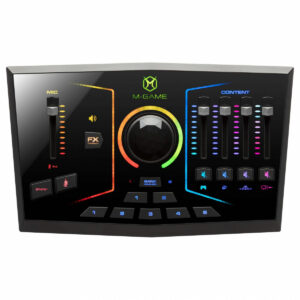
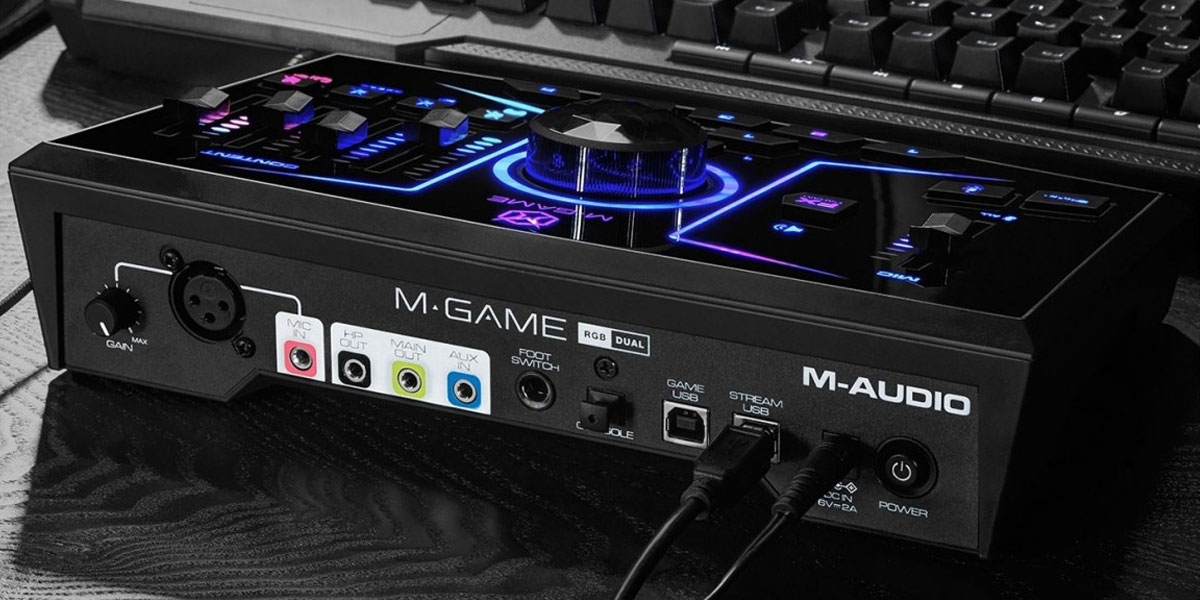
The M-GAME RGB is the perfect choice for gamers looking to start their streaming career off on the right foot. It has both RGB LED lighting and voice-shaping – with the latter allowing you to roleplay as your favourite gaming characters on-stream.
It has a mic input with an associated fader, as well as multiple faders for your streaming content. The microphone capture can be enhanced with multiple onboard effects, including a Compressor, High-Pass Filter, Gate, EQ, and more. And with an M-Audio custom ‘Crystal Preamp’ – you can get sound with a huge dynamic range of 110dB.
Plus, you can customise multiple elements of the interface using the included M-GAME Dual dedicated software. This allows you to customise individual functions or even the mapping of the RGB lights.
One great feature of this streaming interface is the built-in sampler which allows you to assign different sounds to it – ideal for one-shot sound effects during your stream.
Shop now | M-GAME RGB Dual USB Streaming Gaming Interface
4. Lewitt Connect 2 Audio Interface
 Key features
- Touch-based user interface
- Autogain, Clipguard, onboard compressor
- Versatile preamp settings
Pros
- Intuitive controls for real-time adjustments
- Customisable studio aesthetics
Cons
- May require a learning curve for beginners
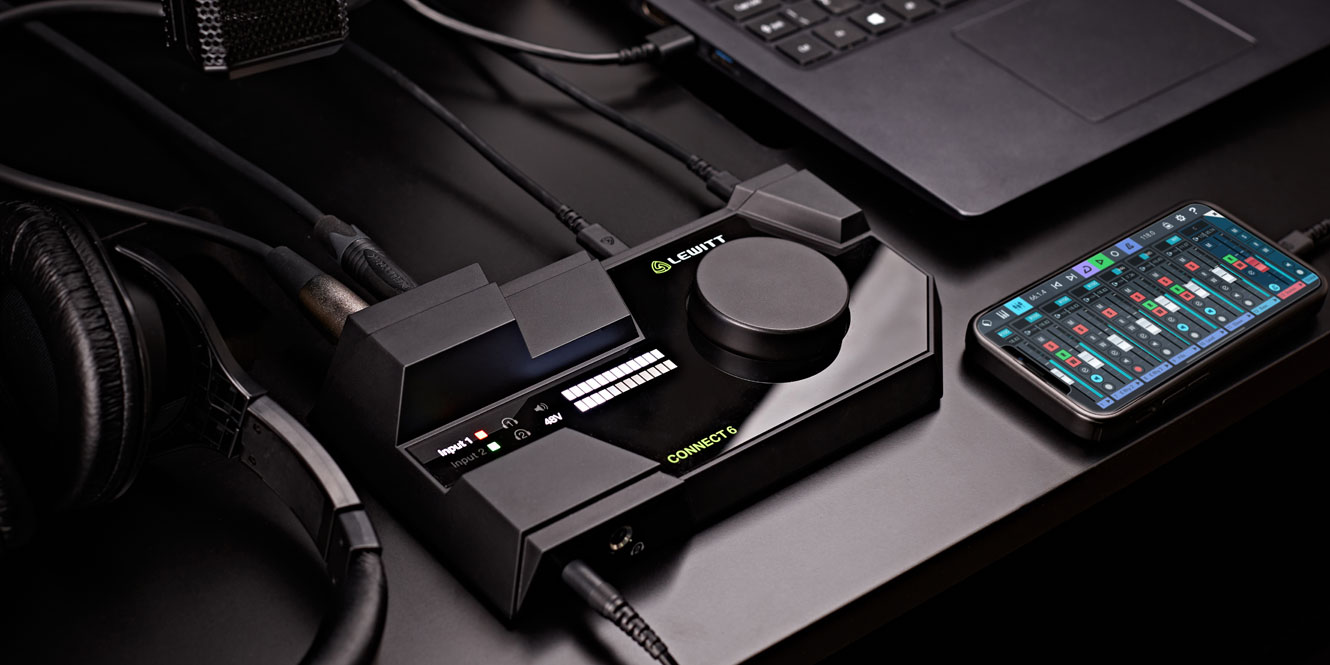
The Lewitt Connect 2 Audio Interface has an extremely user-friendly design, making it a fantastic tool for easy, intuitive control. Its touch-based interface offers immediate visual feedback, simplifying the recording process and enabling quick adjustments during live broadcasts or recording sessions. This is particularly useful for maintaining focus on your creative output rather than getting bogged down in technical adjustments.
Additionally, the Connect 2 features a set of tools that enhance audio quality. Autogain automatically adjusts input levels to optimise audio clarity and prevent distortion, while Clipguard prevents signal clipping during unexpected loud noises. The onboard compressor enhances the fullness of your audio, closely mimicking a professional studio environment. These features are ideal for streamers who need consistent, high-quality audio without the hassle.
The three preamp settings – Clean, Warm, and Vivid – allow you to tailor your sound to match the character and tone of your content, adding another layer of customisation. Whether you’re after crystal-clear audio or a more coloured, vintage vibe, the Connect 2 adapts to your needs.
Shop now | Lewitt Connect 2 Audio Interface
5. Zoom LiveTrak L-6
 Key features
- Compact mixer with multitrack recording
- 32-bit float technology for clear audio
- Seamless MIDI and USB connectivity
Pros
- Studio-quality sound for streaming
- Flexible EQ and onboard effects
- Portable with battery-powered option
Cons
- Limited battery life without USB power
The Zoom LiveTrak L-6 Compact Mixer and Multitrack Recorder’s compact design makes it easy to use in smaller setups, yet it offers 10 tracks of studio-quality recording. Each track includes a full channel strip with pan, effects, and a 3-band mid-sweepable EQ, giving you full control over your audio. The ability to record individual tracks and a stereo mix simultaneously ensures every detail of your sound is captured.
The L-6 is great for live streaming, offering seamless integration with popular software on Mac, PC, and mobile platforms. Its 32-bit float technology ensures crystal-clear recordings without worrying about clipping, even during dynamic audio changes. For streamers, the onboard compressor on the main output helps maintain consistent audio levels, enhancing overall sound quality.
With features like 3.5mm MIDI I/O for connecting external devices and the ability to run on batteries or USB power, the L-6 is portable and suited to a variety of setups – whether you’re recording, streaming, or performing.
Shop now | Zoom LiveTrak L-6 Compact Mixer and Multitrack Recorder
6. Shure MVX2U Motiv Digital Audio Interface
 Key features
- It makes any XLR mic live stream ready
- Control the mic using ShurePlus MOTIV App which includes a limiter, compressor, EQ, and presets
- Can be used with condenser and dynamic microphones
Pros
- Provides up to +60dB of gain to power mics like the SM7B
- Small and compact
- Customisable sound profiles via the ShurePlus MOTIV app
- Zero latency monitoring and playback via the 3.5m headphone output
Cons
- Can only be used with one microphone
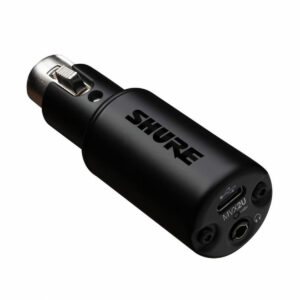
The Shure MVX2U Digital Audio Interface is a single-channel XLR to USB adapter which allows you to easily connect any microphone to your computer for capturing high-quality professional audio. One of the most common microphones for streaming is the SHURE SM7B, however, most people like to use this mic with an additional preamp/cloudlifter. Now there’s no need as the MVX2U has 60dB of gain to power any microphone.
Along with the ShurePlus MOTIV app, the MVX2U allows you to easily take full control of your microphone by using compressors, limiters, and even your own custom presets. It can support both dynamic and condenser microphones and is a great way to make your steaming set up effortless.
Shop now | Shure MVX2U Motiv Digital Audio Interface
7. Rode RodeCaster Pro II
 Key features
- Mix-minus audio for phone calls
- Four Neutrik combi inputs
- Connect two devices simultaneously
Pros
- Boasts advanced Bluetooth capabilities
- Studio-grade effects include the Aural Exciter and the Big Bottom
Cons
- Quite big, so wouldn’t suit cramped desks
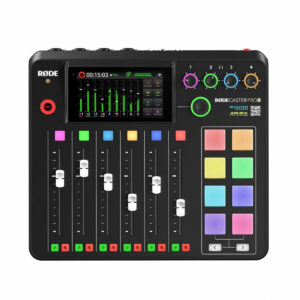
The Rode RodeCaster Pro II has everything you need for high-quality broadcasts – especially if you want a few more input options. Plus, to take your sound to the next level, it has onboard revolution preamps and Aphex processors. So you’ll sound great on stream at all times when using it.
With four Neutrik combi inputs, the RodeCaster Pro II is bound to become the centre of your streaming hub. It allows you to easily connect whatever microphone or instrument you want to it and lets you have multiple guests on-mic for your streams
As well as this connectivity, the RodeCaster Pro II has advanced Bluetooth capabilities, making it easy to integrate phone calls and other audio sources into your streams. And with two USB-C connections, you can connect two devices simultaneously – which adds a whole lot more flexibility to your stream.
To add a bit more to your vocals, this interface also has a range of studio-grade effects, from the Aural Exciter to the Big Bottom. Plus, built-in SMART pads allow you to trigger sounds as well as recall presets and perform other broadcast-critical tasks.
Shop now | Rode RodeCaster Pro II
8. Universal Audio Volt 876 32-bit/192 kHz USB Audio Interface
 Key features
- Vintage‑mode tone on every input
- Built‑in 1176‑style analog compression
- 32‑bit/192 kHz conversion
Pros
- Rich, analog character in live capture
- Real‑time dynamics control without extra gear
- High fidelity conversion with low noise
Cons
-
Hardware compression is fixed once recorded
When you’re streaming live music or multi‑instrument sessions, you need an interface that can keep up. The Universal Audio Volt 876 is built for exactly that. Its biggest strength for streaming is that it lets you colour your sound at the source: every one of its eight mic preamps can run in a “Vintage” mode emulating the classic UA 610 tube preamp, giving your vocals, guitars, or instruments warmth, presence, and harmonic richness even before any plugin is applied.
On top of that, each channel includes a true analog 1176‑style compressor with presets for vocals, guitars, drums, and synths. Because the compression happens before conversion, you’re shaping dynamics in the analog domain in real time. That means less post-work and more control while you’re streaming or tracking live.
Under the hood, the Volt 876 features 32‑bit/192 kHz conversion, giving you a wide dynamic range and very low noise floor. It offers 8 × 8 analog I/O plus 16 × 16 ADAT for expansion. If you need even more channels, you can chain up to three Volt 876 units via ADAT or integrate with ADAT‑equipped gear like Apollo units.
Connection-wise, it’s USB‑C and class-compliant, meaning plug‑and‑play with Mac, iPad, and iPhone. If you’re a Windows user, you can install UA’s driver through UA Connect. Routing, cue mixes, talkback, and signal flow are all controlled either via onboard controls or UA’s software ecosystem.
Shop now | Universal Audio Volt 876
9. Focusrite Scarlett 2i2 4th Gen
 Key features
- 192kHz/24-bit sound quality
- Re-engineered Air mode
- Dynamic Gain Halos
Pros
- High-quality Hi-Z instrument inputs
- Comprehensive software bundle included
- Loopback functionality for easy sampling
Cons
- Limited to two inputs
The Focusrite Scarlett 2i2 4th Gen is the iconic interface that delivers superb sound quality and easy usability. Its 192kHz/24-bit converters ensure every detail of your audio is captured with utmost precision, crucial for musicians, podcasters, and content creators who demand the highest fidelity in their recordings.
The re-engineered Air mode takes things up a notch, adding a bright, musical presence to vocals and instruments that truly makes your recordings shine. This is paired with Dynamic Gain Halos around the gain knobs, which simplify setting levels by providing visual feedback, ensuring optimal input volume without the guesswork.
Additionally, the Scarlett 2i2 comes packed with a vast array of software options, including Pro Tools Artist and Ableton Live Lite, part of the Hitmaker Expansion bundle that offers everything from effects to virtual instruments. The Loopback functionality is particularly great for those creating content online, by allowing easy integration of computer audio into live streams or podcasts.
Shop now | Focusrite Scarlett 2i2 4th Gen
10. Zoom PodTrak P8
 Key features
- High number of inputs
- LED touchscreen display
- Wide range of tone-adjustment controls
Pros
- Boasts six microphone inputs and a TRRS connection for mobile
- Easy to navigate thanks to an LED touchscreen display
Cons
- Might be a bit busy for beginners
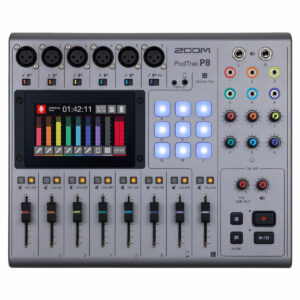
The Zoom PodTrak P8 is perfect if you need lots of microphone inputs for your live streams. It has six microphone inputs to use, each with premium-grade Zoom mic preamps that have 48V phantom power and up to 70dB of gain.
As well as this, the PodTrak P8 has a dedicated channel for taking calls directly from your phone – just connect it via the TRRS connection. A Mix-Minus feature then eliminates echo and feedback. And you could even use the USB connection to take calls from FaceTime, Teams, or other applications.
The PodTrak P8 makes it easy to configure your livestreams with its LED touchscreen display. Interact with sliders for monitoring, adjusting settings, and more – all with just a few touches.
There’s also a range of effects available to choose from to further shape your stream’s sound. For example, you can use the low-cut filter to eliminate unwanted noise or use the Tone-Adjustment control to change how your voice sounds.
And one unique feature of this interface is its six headphone outputs. So if you have six people on mic for your stream, they’ll all be able to hear themselves.
Shop now | Zoom PodTrak P8
11. Yamaha AG08 Streaming Mixer, Black
 Key features
- Comprehensive selection of inputs
- Great for large setups
- Wide range of effects to enhance streams sound
Pros
- Incredibly comprehensive with a lot of flexibility
- Boasts an extensive range of connections
Cons
- Could be a little too complicated for beginners
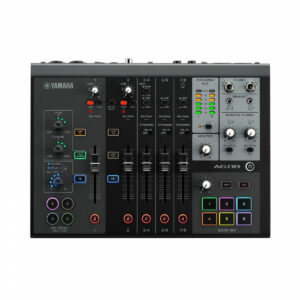
The Yamaha AG08 is an ideal streaming interface if you require more complexity in your setup. It features a whopping eight channels, with the first two being combination inputs, and has phantom power capabilities.
In fact, the AG08 has an incredibly wide range of connections to choose from: XLR, RCA, 1/4″ jack, 3.5mm jack, and also headphone outputs. Because of this, the AG08 is especially good if you want to stream band setups – with multiple microphones and multiple instruments.
The AG08 also has a wide range of effects to further enhance your stream’s sound. And you can customise these further with the AG08 controller app. These include compression, EQ, voice changing, and much more.
Shop now | Yamaha AG08 Streaming Mixer
12. SSL-1 Audio Interface
 Key features
- Three stereo loopback channels for streaming
- SSL-designed low-noise microphone preamp
- USB-C connectivity with portable design
Pros
- Makes livestream audio routing straightforward
- Clean, professional vocal recording quality
- Compact enough for mobile setups
Cons
- Single microphone input limits multi-person streams
The SSL-1 is ideal if you want professional audio quality without making your streaming setup any more complicated than it needs to be. Its SSL-designed microphone preamp delivers clean, low-noise recordings, helping your voice sound clear and detailed during livestreams, podcasts, and online content creation.
A key advantage for streamers here is the three stereo loopback channels. This allows you to capture game audio, music, video calls, and other computer sounds directly into your streaming software without relying on extra hardware or complicated routing solutions.
The compact design also makes it easy to fit into smaller desk setups. You can power it directly from your computer via USB-C, or use an external 5V power source when streaming or recording away from your usual workspace.
Low-latency monitoring helps you hear yourself in real time, which can make live broadcasts feel more natural and easier to manage. Balanced monitor outputs and a high-current headphone output then provide accurate playback for monitoring.
If you create content beyond streaming, the SSL-1 offers plenty of flexibility. The instrument input supports guitars, basses, synths, and other sources, while the included SSL Production Pack gives you access to recording software, plug-ins, virtual instruments, and samples to expand your production workflow.
Shop now | SSL-1 Audio Interface
Why should I use an audio interface for streaming?
While you can just use a USB microphone or headset for streaming, an audio interface is a much better option.
Audio interfaces have better preamps to boost the mic signal and will also have higher-quality A/D converters. As well as this, you’re much less likely to have common audio issues such as distortion and glitching. You also get a lot more flexibility in controlling your audio – if you want to adjust settings.
Terms you should know
These are terms you should know about when shopping for an audio interface.
XLR input is a balanced input, used mainly for microphones, which you need an XLR cable for. A line input, on the other hand, will use a jack cable and is mostly used for instruments.
The mic preamp boosts the microphone signal – a good quality one will do this cleanly with minimal noise.
Phantom power is required to power some microphones – normally condensers – and without it, some microphones won’t work.
Stereo line outputs are often great for connecting headphones or other sources which require the use of two speakers.
Finally, loopback allows you to send and bring back sound to and from external devices like mobiles or computers.
FAQs
Can you live stream with an audio interface?
You can live stream with an audio interface. In fact, having an audio interface is a great way to enhance your stream. Many offer useful features that allow you to add vocal effects or even to connect a phone and have someone phone in.
What do professional streamers use?
Professional streamers use audio interfaces to get great sound quality on their streams. As well as this, they also use high-quality microphones for audio capture and closed-back headphones for monitoring.
How do I get streamer-quality audio?
You can get streamer-quality audio by using a high-quality microphone in combination with a high-quality audio interface. If you’re using great equipment at every part of your signal chain, you’re guaranteed a great result.
Final thoughts
If you want to start streaming, there is a wide range of audio interfaces to get started with. From the compact yet comprehensive Lewitt Connect 2 to the musician-podcaster-hybrid SubZero AI2 – there’s something here on our list of best audio interfaces for streaming for every setup.
Want to learn more? Why not check out the best microphones for streaming or our top picks of audio interfaces overall?




0 Comments