
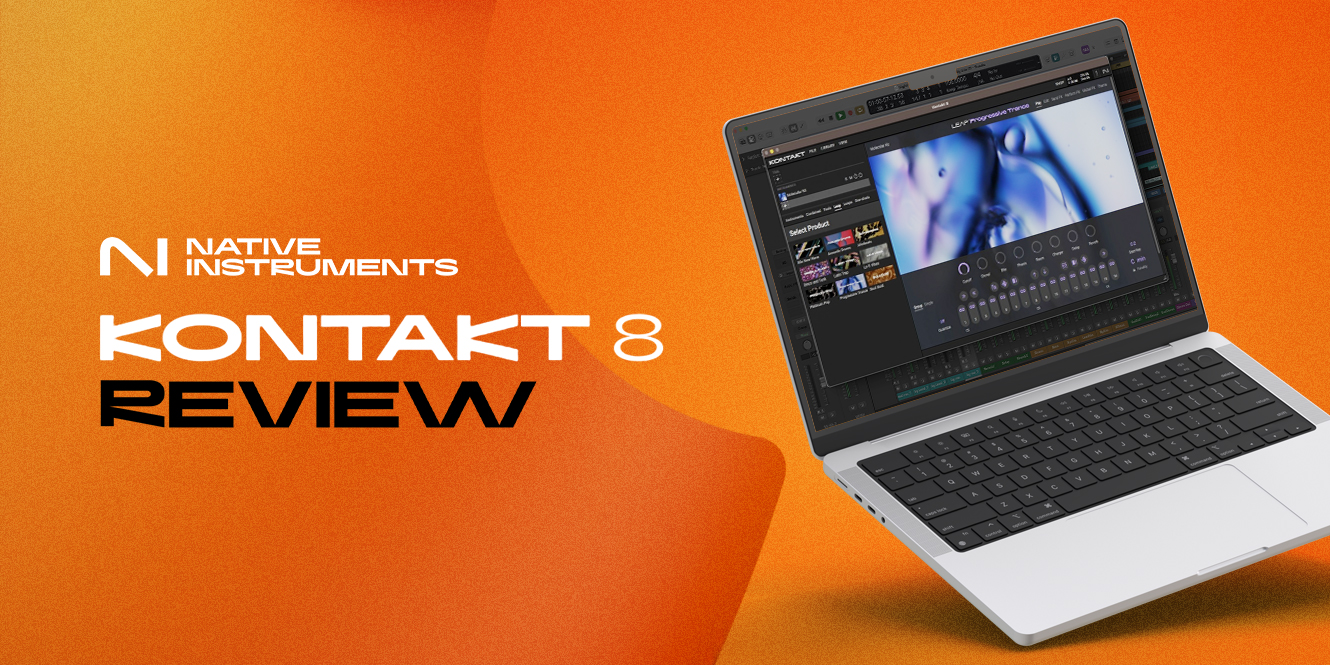

In an industry with ever-changing standards, Kontakt has become a staple sampler for producers and composers over the last two decades. It’s a go-to, an industry-standard; so what possibly could have been improved on in its most recent iteration?
In this Native Instruments Kontakt 8 review, we’re looking at the latest version of the world’s most widely used sampler and how it fits into modern music-making. Kontakt 8 brings a refreshed interface, new creative MIDI tools, the Leap performance sampler, and a more powerful synthesis engine. But with so many changes arriving at once, the big question is simple: are these new features worth the upgrade?

In a hurry? Here’s our verdict
Kontakt 8 feels like the most creative and streamlined version of the sampler yet, thanks to its refreshed browser, new hybrid instrument Conflux, and smart tools like Chords, Phrases, and Leap. It keeps everything Kontakt users already rely on while adding features that help you write faster and experiment more freely.
If you’ve used previous versions, this update offers enough genuinely helpful improvements to make your workflow smoother and more inspiring.
| Pros | Cons |
|---|---|
| Conflux mixes sampling and wavetable-style synthesis, giving you far more room to shape unique sounds | Long-time users of Kontakt may not find a place for the new tools in their workflow |
| Leap is quick to learn, responsive, and genuinely fun to experiment with | No option to create your own custom folders for presets in the browser |
| Chords, Phrases, and Leap make it easier to spark ideas and build musical sections quickly | |
| The refreshed browser speeds up finding presets, instruments, and expansions | |
| Better CPU handling results in smoother sessions and quicker load times |
Native Instruments Kontakt 8 review
Conflux
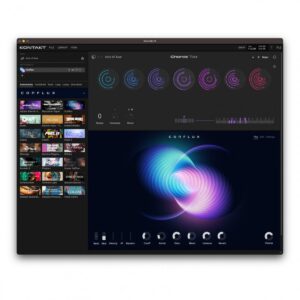 Conflux is the headline new instrument in Kontakt 8, and it’s the first time Native Instruments have blended Kontakt’s traditional sample-based workflow with a fully reworked wavetable engine. Instead of choosing between synthetic or sampled sound sources, you can combine both at once, shifting and shaping them in real time.
At its core, Conflux uses updated wavetable oscillators that now support FM, phase modulation, and ring modulation, all sitting alongside the classic PPG wavetables. This gives it far more movement and colour than anything previously built into Kontakt.
The instrument is split into three pages: Play, Edit, and Settings.
Play gives you quick access to presets and macro controls, which is handy when you want to get ideas down without diving too deep.
The Edit page is where Conflux really opens up. You can blend wavetables with samples, choose different modulation modes, and even bring in an additional analog-style oscillator through the Audio Mod panel.
This setup lets you move from soft evolving pads to sharp synthetic textures, and everything in between, without feeling like you’re fighting the interface.
Conflux also includes a solid modulation system with two envelopes, two LFOs, and a flexible filter. On top of that, you get a multi-FX section featuring chorus, EQ, bit crushing, shimmer reverb, and various delays.
The step animator adds rhythmic movement, and the six macro knobs let you assign and control multiple parameters at once. It’s easy to route modulation visually, and while a dedicated MIDI Learn for the macros would have been nice, most DAWs handle external mapping without much fuss.
In terms of sound, Conflux is rich, detailed, and expressive. It doesn’t feel aimed at chart-ready presets; rather, it works great in experimental work. If you’re a sound designer or want a tool for creating unusual textures, it’s a strong addition to the library.
Modern standalone synths may offer deeper engines, but for something living inside Kontakt, Conflux is impressive and genuinely inspiring. It’s absolutely a worthwhile addition, especially if you want more than standard sample playback.
Chords and Phrases
Chords and Phrases are two new MIDI tools in Kontakt 8 designed to help you move past creative blocks and generate ideas quickly. Chords takes a single key press and turns it into a full harmony, while Phrases does the same for melodic lines.
If you’ve used MIDI effects in a DAW, you’ll know that these aren’t entirely new concepts, but Kontakt’s approach is far quicker, more streamlined, and backed by a generous preset library.
Chords comes with 130 progression sets, and Phrases includes 181 melodic ideas, giving you plenty to build from when inspiration feels slow.
Using the tools is simple. Each white key triggers a chord or melodic phrase, and everything adapts to the key and scale you’ve selected. It allows you to add strumming, humanisation, velocity changes, and timing variations, making performances feel more natural.
You can also drag the generated MIDI into your DAW for further editing, although neither tool records full chord or phrase data when performing – it records only the trigger notes. Phrases also doesn’t let you design your own phrases from scratch, which might feel limiting for more advanced users.
Creatively, both tools can help you sketch ideas quickly, from evolving chord beds to expressive melodies and rhythmic hooks. And since they’re integrated as MIDI tools, they work across all Kontakt instruments, which is a massive advantage that means you can experiment with any instrument you have in your collection.
Overall, Chords and Phrases are welcome additions. They’re not as powerful as dedicated generative MIDI plugins, but as they’re directly integrated into Kontakt, they’re quick, musical, and helpful for sparking ideas, especially when you need a nudge to get started.
User interface
 Kontakt 8 has a refreshed, modern interface that feels more in line with NI’s recent products. It’s cleaner, brighter, and generally easier on the eye. If you’d rather stick with the old-school look, you can switch back with a single click at the top of the window, which is a thoughtful touch for long-time users.
The update isn’t just cosmetic, though; the new layout brings several practical improvements that genuinely smooth out day-to-day navigation.
The biggest change is the expanded browser. You now get dedicated tabs for Instruments, Combined presets, Loops, One-Shots, Tools, and Leap. This makes it far simpler to dig through large libraries, filter by brand or sound type, and audition ideas quickly.
The Instruments tab is particularly useful, giving you instant access to every Kontakt-ready instrument on your system without dropping out of your workflow.
Once you load something like Conflux, the updated preset browser appears within the instrument itself, letting you flick between patches, favourite sounds, or your own saved presets without ever jumping back to the main library view.
The new Side Panel is another great improvement. It shows your full instrument rack, gives you quick loading and unloading options, and best of all, lets you search and demo presets from any library while staying in the Performance View. In Kontakt 7, this meant hopping between different screens, which always broke the flow a little. In Kontakt 8, everything feels far more immediate.
In essence, the user interface is a clear step forward. It’s faster to browse, easier to stay organised, and much more intuitive than previous versions. We’d like the see the ability to generate custom filters and folders for the navigation, but this update does fix a lot of the sticking points of Kontakt 7 to help you stay in your creative flow.
Leap
Leap is one of Kontakt 8’s biggest new additions, and can be best described as a sampler within a sampler. It’s built for performance and quick idea-building, giving you 16 sample slots mapped across the white keys that let you fire off loops and one-shots instantly.
The black keys trigger performance effects such as stutters, pitch shifts, tempo changes, and other real-time manipulations.
It feels familiar if you’ve ever used something like LANDR Chromatic or Arcade by Output, but it’s tightly integrated into Kontakt’s new browser and workflow. Kontakt comes with 12 Leap-ready expansion packs, though you can also drag in samples from Maschine libraries or even pull audio straight from your computer.
In practice, Leap is designed to be fast and improvisational. You can jam through loops, trigger hits, and apply effects without breaking your flow. If you want to go deeper, the Edit page lets you tweak playback mode, envelopes, filtering, pitch, and tempo to sculpt each sound.
You also get Send FX for reverb and delay, plus a Perform FX page where you can assign and tailor the effects linked to each black key.
Single mode adds a nice bonus, mapping a chosen sample across the keyboard so you can play it melodically. It’s all surprisingly flexible and makes building custom kits easy.
Sonically, Leap lends itself to rhythmic ideas, chopped textures, glitchy transitions, and creative loop manipulation. It’s a great way to generate hooks, percussive layers, or experimental ear candy. However, it does have limitations: performance effects apply to all sounds rather than individual slots, and Leap only offers a stereo output, which restricts detailed mixing.
Despite those drawbacks, Leap is fun, immediate, and genuinely helpful for sketching ideas. It’s not a full production workhorse, but as a creative starter tool inside Kontakt 8, it’s a strong and welcome addition.
Combined
 Kontakt has always allowed you to layer multiple instruments, but the new Combined tab in Kontakt 8 makes this process much easier and more intuitive. Instead of manually building multis from scratch, you now have a dedicated space where you can browse ready-made layered presets, filter them by brand, sound type, or character, and quickly load complex stacks with a single click.
Combined presets are clearly marked, and there’s even an option to show only those enhanced with Chords or Phrases, giving you instant access to more expressive, tool-driven textures.
What sets this apart from older versions is how smoothly it integrates the new creative tools. You’re not limited to just layering instruments; you can combine them with Chords, Phrases, and even Conflux for rich, evolving patches.
Adding new layers is straightforward too: hit the plus icon and pull in anything from your Kontakt libraries, whether it’s NI-made or from a third-party developer. You can reorder layers, mute or solo them, and tweak panning and volume without digging through menus.
It isn’t a dramatic overhaul, as it still uses the familiar multi-system under the hood, but it is a meaningful quality-of-life improvement. The workflow is faster, cleaner, and far more inviting. For anyone who builds layered sounds regularly, this update feels like an incremental improvement, but a necessary one to offer you more flexibility in your sound design.
Native Instruments Kontakt 8 specifications
| Mac | Windows | |
|---|---|---|
| Operating System | macOS 13, 14 and 15 | Windows 10 or 11 |
| Processor | Intel Core i5 or Apple Silicon | Intel Core i5 or equivalent |
| Format | Standalone, VST3, AU, AAX | Standalone, VST3, AAX |
| RAM | 6GB | 6GB |
| Disk Space | 50GB | 50GB |
FAQs
What’s the difference between Kontakt 8 and Kontakt 8 Player?
The difference between Kontakt 8 and Kontakt 8 Player is that Player is a free sampler that only loads Player-compatible libraries, whereas Kontakt 8 supports every Kontakt instrument and lets you create your own sample libraries.
Is Kontakt 8 more efficient?
Kontakt 8 is more efficient than ever before, with faster loading times and better performance thanks to the improved and upgraded playback engine. It allows you to run more instances and enjoy better stability and more efficiency.
Is Kontakt 8 a sampler or a synth?
Kontakt 8 is primarily a sampler platform that’s enhanced with synthesis tools, including wavetable, FM, and ring modulation engines. Kontakt 8’s core role is to create and play high-quality sample libraries.
Final thoughts
Kontakt 8 brings a clear mix of refinements and fresh creative tools, and across the update, we’ve seen how features like Conflux, Chords, Phrases, Leap, and the revamped interface each push the sampler in new directions.
For some producers, these additions will feel genuinely inspiring, while others may see them as extras they won’t reach for often. The upgrade is most worthwhile if the creative tools fit naturally into your workflow, though the interface improvements and Combined features are valuable quality-of-life boosts for everyone.
What becomes increasingly clear, though, is that Kontakt is now trying to serve two different types of users at once. Power users want a stable, sampler-focused environment, while newcomers benefit more from the songwriting and idea-generation tools.
Splitting the platform into a “Pro” version and a “Create” version could make the experience far more focused for each audience – one centred on deep sampling, the other on fast inspiration.
As we wrap up this Native Instruments Kontakt 8 review, it’s fair to say the update strengthens what already makes Kontakt essential. Whether it’s the right upgrade depends on which side of the sampler-versus-creator divide you’re on.




0 Comments